Understanding HTML Tags and Elements
What is an HTML?
As an example this is how the web page might look without the html.
Lorem ipsum dolor sit amet, consectetur adipiscing elit. Sed do eiusmod tempor incididunt ut labore et dolore magna aliqua. Ut enim ad minim veniam, quis nostrud exercitation ullamco laboris nisi ut aliquip ex ea commodo consequat. Duis aute irure dolor in reprehenderit in voluptate velit esse cillum dolore eu fugiat nulla pariatur. Excepteur sint occaecat cupidatat non proident, sunt in culpa qui officia deserunt mollit anim id est laborum.
With html the web page will look like this.
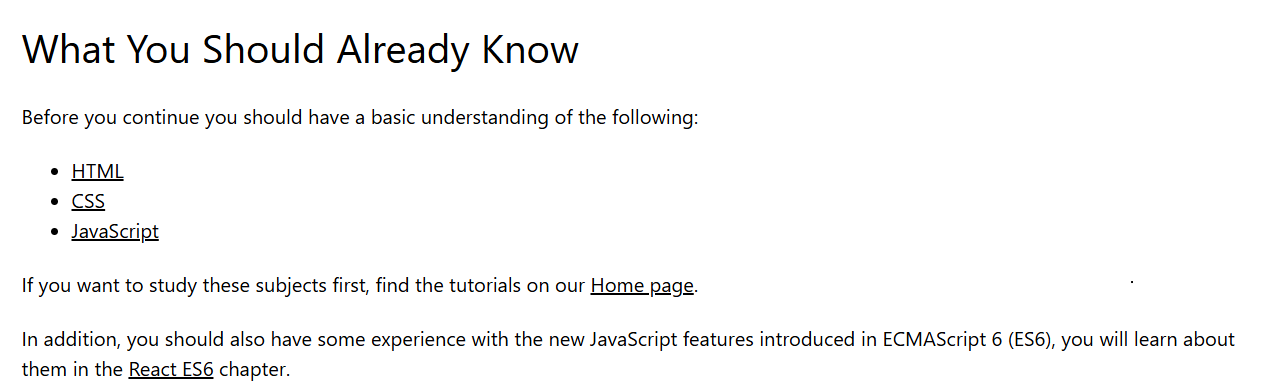
So html basically used to structure the text in the proper way.
It is like a skeleton of a webpage, it is not the programming language.
The full form of the html is - Hyper Text Markup Language.
Here the Hyper Text means - Text that links the pages
Markup - means adding tags to text to define its structure and meaning.
So html is a language of tags which gives instructions to display text, images, links, and other content on the web.
HTML tags
Html tags are same as the sandwich.
Like in the sandwich we have two breads the the tag is also like that.
Tag has the opening bracket and the closing bracket.
As an example:
<p></p> ← this is known as a tag.
Now as how the sandwich has the “ vegetables ” inside it the tags also has the information inside it this information is known as the content of the html tags.
As an example:
<h1>This is a heading tag.</h1>
Basic difference between the tag and the html element
<p>   This is a paragraph.   </p>
       │              │               │
       │              │               │
  Opening Tag      Content         Closing Tag
  (Start Tag)                      (End Tag)

  └───────────────────┬───────────────────┘
                      │
               THE HTML ELEMENT
The html element is the whole sandwich.
opening tag
    +
 content
    +
closing tag
The tag is just opening tag and the closing tag.
opening tag
    +
closing tag
HTML TAGS
<!DOCTYPE>– defines the HTML version<html>– root element<head>– meta info about the document<title>– title of the page<body>– main visible content<header>– top section<nav>– navigation menu<main>– main content<section>– thematic grouping<article>– independent content<aside>– sidebar content<footer>– page footer<p>– paragraph<hr>– horizontal rule<em>– emphasized text (usually italic)<strong>– important text (usually bold)<b>– bold text<i>– italic text<mark>– highlighted text<small>– smaller text<del>– deleted text<ins>– inserted text<sub>– subscript<sup>– superscript<span>– generic inline containerimg>– image<audio>– audio file<video>– video file<table>– table<caption>– table title<thead>– table header<tbody>– table body<tfoot>– table footer<tr>– table row<th>– table header cell<td>– table data cell<form>– form<input>– input field<textarea>– multi-line input<label>– input label<button>– button<select>– dropdown list<option>– option in select<fieldset>– group of form elements
There are many more tags like this
There are some tags that are self closing, they are self closing because they don’t have the content to wrap around
They performs an action or inserts something without wrapping any text inside it.
Example :
<img><br><input>
Block-level vs inline elements
Block-level elements always start on a new line and take up the full width available. They are used to define the structure of the page.
<div>, <p>, <h1> … <h6>, <section>, <article>, <header>, <footer>, <ul>, <ol>, <li>
Inline elements do not start on a new line and take only as much width as necessary. They are usually used inside block elements to style or format text.\
<span>, <a>, <strong>, <em>, <b>, <i>, <img>, <code>
seeing html by inspecting in the browser
When we open an website we don’t get to see the code of the html but we see the structure of the text done by html.
Isn’t this is magical?
It’s actually not, in the world of the computer science nothing is magical
So what happens is that the browser first, it reads the HTML using a special HTML parser. The parser understands the tags and elements, builds a DOM (Document Object Model) tree, and then renders the page visually.
By inspecting HTML in the browser, you can see this structure live, explore how elements are nested, and even edit them to see instant changes. It’s like watching the browser understand your code step by step.
It will look like this
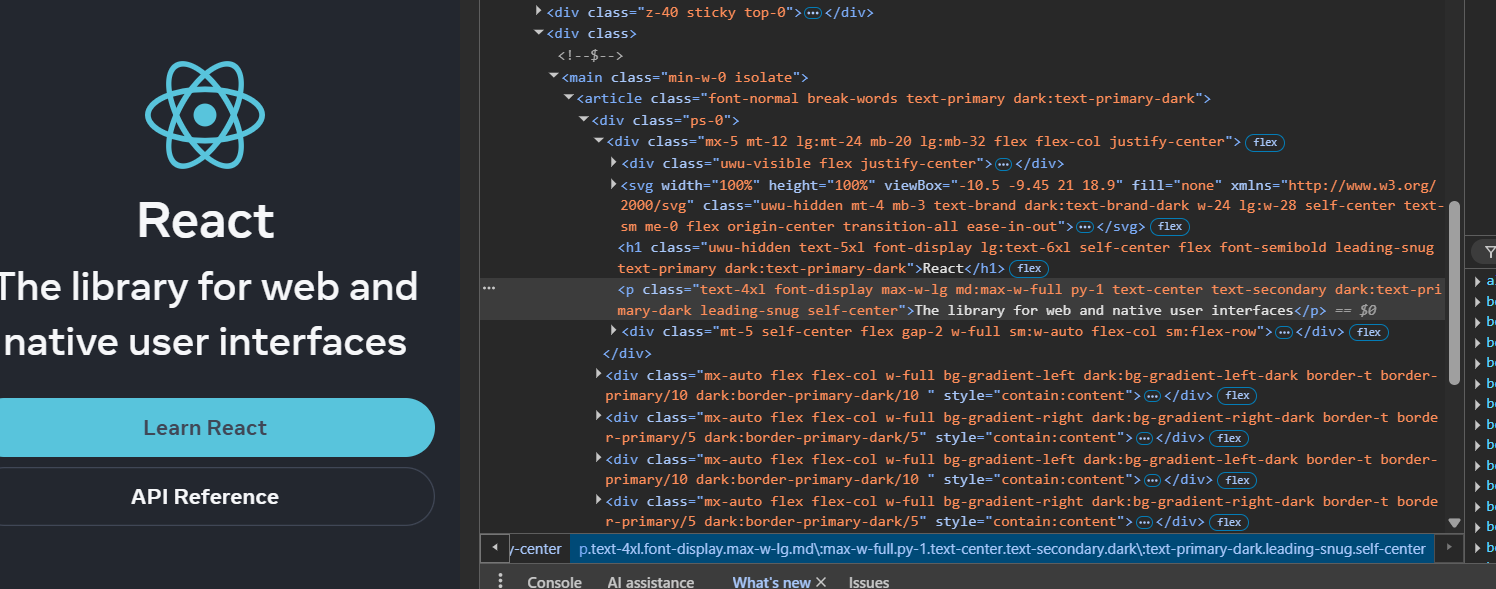
So HTML structures web content with tags and elements, which the browser parses and renders to create webpages.

