Understanding Network Devices
You might wonder how this internet works and the data is sent from one computer to another computer. When we just click on the submit button in any form or we type any website name in our browser we get our answers very easily in the low time but behind this things there are so many complex process happens. When we know all this we get the idea of how deep and complex this world is.
In this blog we will get to know about how the data is transmitted with the help of the different devices.
Intro to Internet
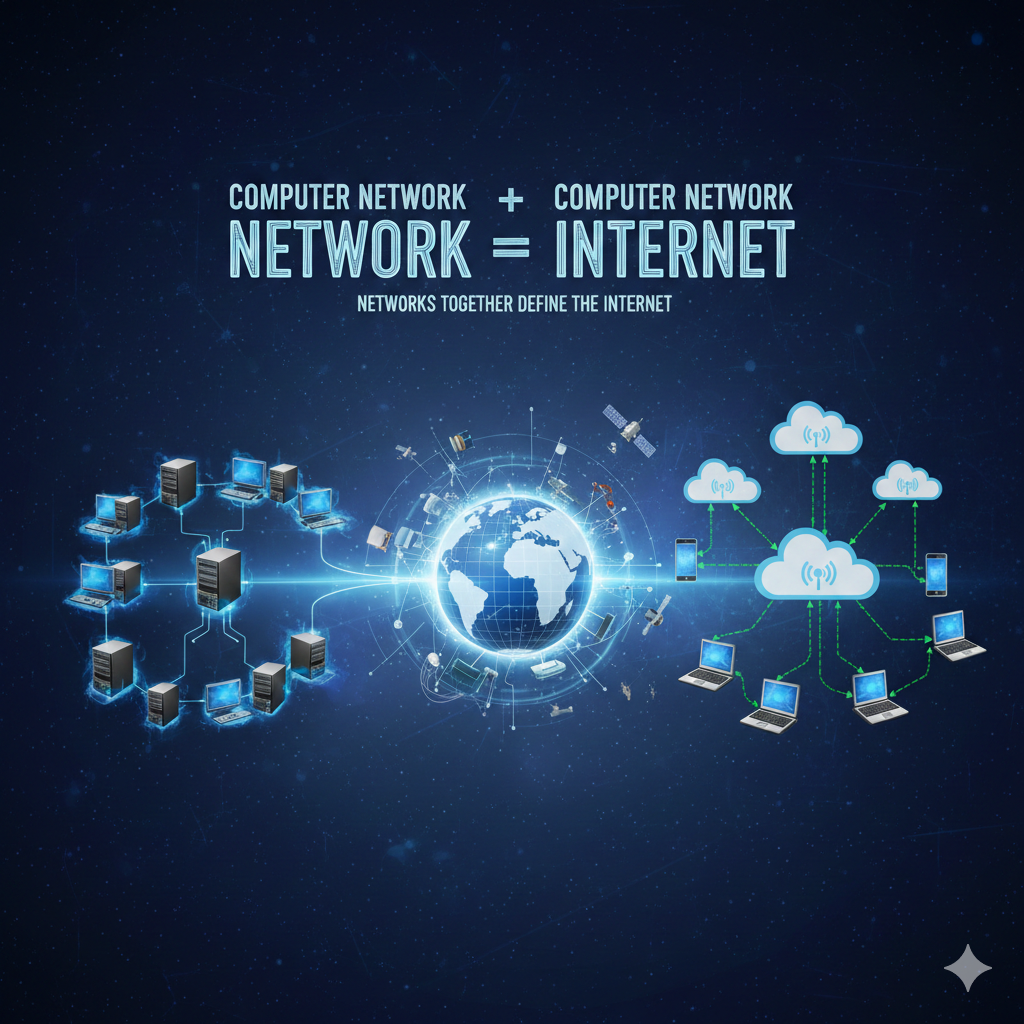
→If we know what is network then it is easy to define the internet .
Network= Computers + Wires + Protocols
→if more then one networks are connected with each other then it defines the Internet.
→so network is basically global system of interconnected computer networks that communicates using some special protocols/rules known as the IP or TCP.
→ Where IP stands for the internet protocol that defines addressing and routing of the data.
→And the TCP define as (Transmission Control Protocol) which ensures reliable delivery of data (no loss, correct order)
→If we want to connect with this internet we will need ISP.
→An ISP (Internet Service Provider) is the company that connects your home or office network to the global Internet.
→The ISP is like a highway or the path that let the data move from the one network to another network.
→There are different types of ISPs based on the technology they use:
Dial-up ISPs use traditional telephone lines and modems. Examples include BSNL Dial-up and AOL .
Broadband ISPs use DSL or cable connections for faster Internet. Examples are Airtel Broadband, ACT Fibernet, and Comcast.
Fiber ISPs use optical fiber to provide high-speed Internet. Examples include JioFiber, Airtel Xstream Fiber, and Google Fiber.
Mobile ISPs use 4G or 5G cellular networks to connect devices. Examples include Jio 4G/5G, Airtel 5G, and Vodafone Idea.
How the data travels
→In the older times if we want to send anything from one city to another city we take the help of the postoffice.
→ Travelling of that data also works like this.
→The first step it to identify the route or path of the data , for this we use Router.
ROUTER:
→Router basically identifies the path at which the data will go.
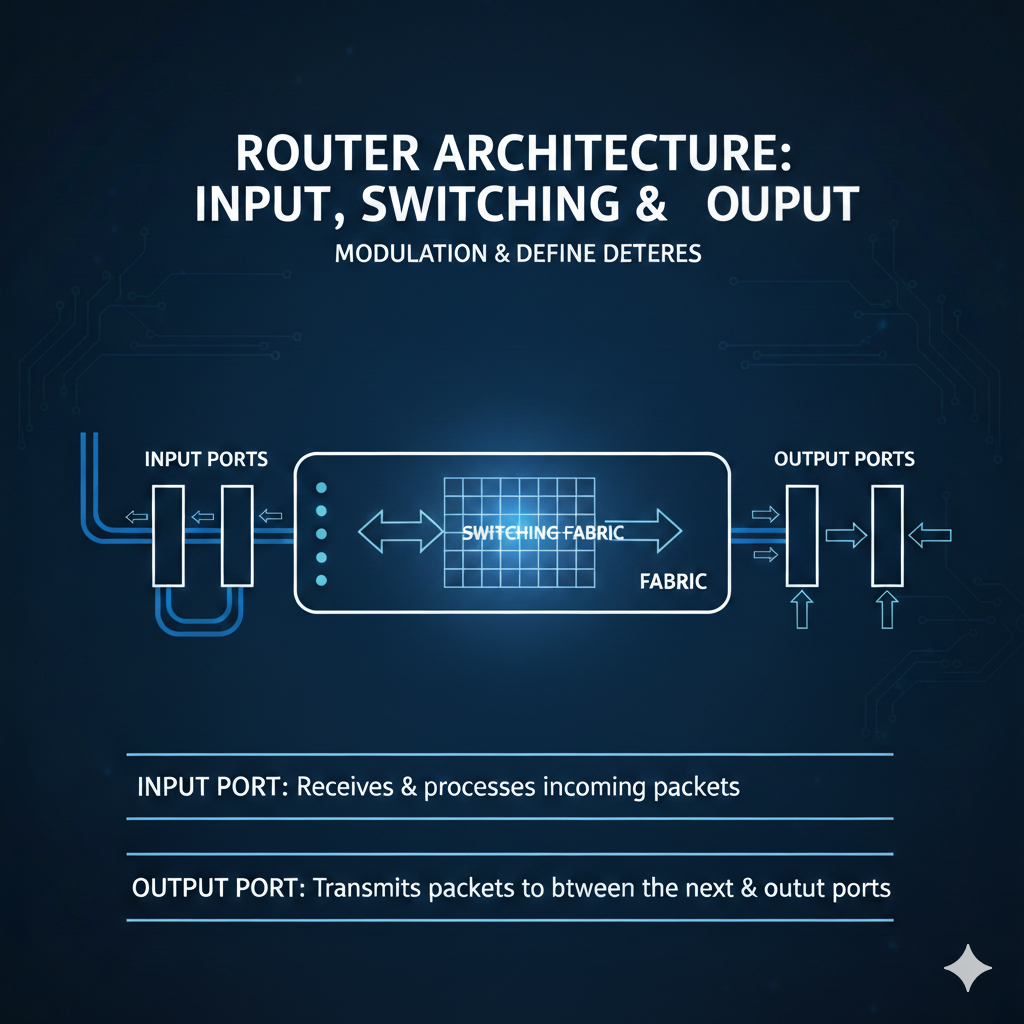
Router has basically 3 main components through which the data will be passed.
➡️ The 1st is Input port.
→The input port receives incoming data packets from devices in your local network (LAN) or from other networks.
→It Looks at the packet header to read important information like:
Source IP (who sent it)
Destination IP (where it needs to go)
→It Checks the basic errors in the packet to make sure it is not corrupted.
➡️Switching Fabric
→The switching fabric is the internal part of the router that connects input ports to output ports.
→It receives packets from input ports.
→It Checks the routing table / forwarding table to decide the correct output port.
→Transfers the packet to the output port as quickly as possible.
➡️Output Port
→It sends packets out of the router to their next destination.
→As we know that the electronic devices don’t understand the human language therefore for sending the data from one network to another we need mechanism which converts this data and let the data travel , this is done by the modem
Modem:
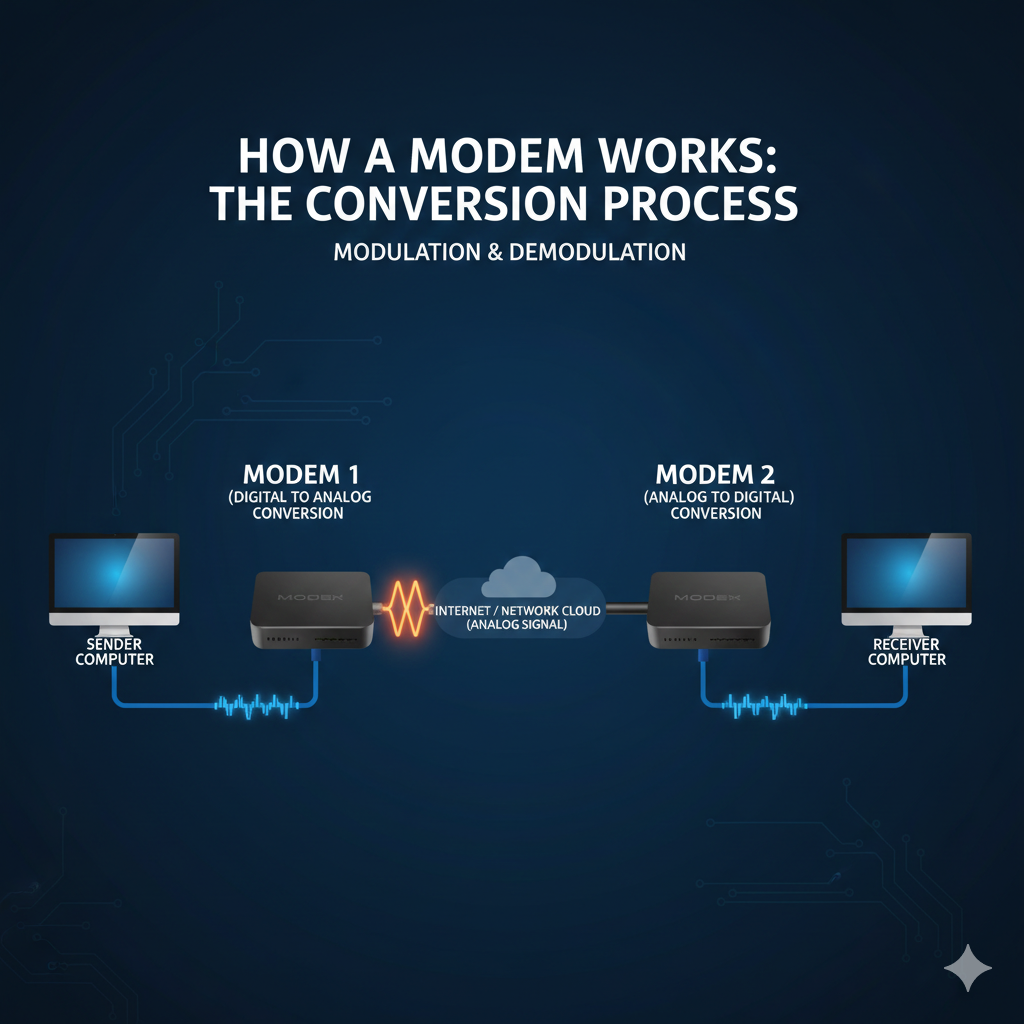
→If we divide the name of the modem it is Modulation =mo and demodulaion=dem.
→Modulation : Modulation is defined as a process of converting digital data signals of the computer into analog data signals so that these signals can travel on the internet. The digital data is encoded onto a carrier wave.
→Demodulation: Demodulation is defined as a process in which analog data signals from the internet are converted into digital data signals so they can be understood by computer systems.
→This is the main function of the modem.
→whenever we need to send the data the output port of the router will send the instruction that is in the form of the binary to the modem and this data is converted into the analog signals and travel to the destination by the ISP.
→When the data reaches it’s destination there is another modem which converts this analog signal into the binary so the device is able to understand this information.
→A modem is always a hardware device. It does not require software to perform modulation and demodulation.
→Now when we are sending the data it is important that we take care of the security.
→For this thing we need firewall.
Firewall:
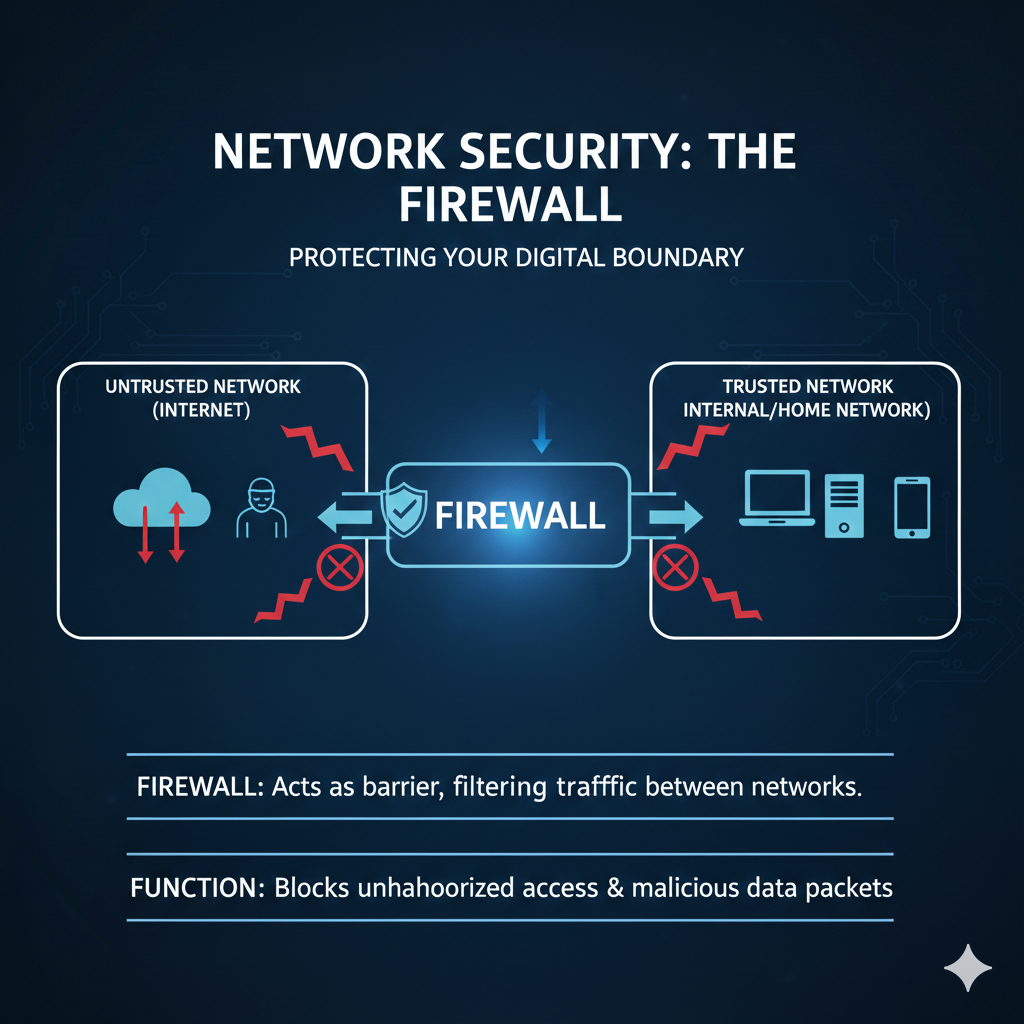
→Firewall is a security system.
→It provides security by analyzing data packets. If any packet is found to be malicious or violates predefined rules, the firewall blocks that data.
→It can exist as hardware (a dedicated device) or software (programs running on your computer or router), controlling which data is allowed in or out of your network.
→Any data packets that enters is first passes from the firewall and it determines the packets based on the rules that is either given by the authority and if in case the authority didn’t gave any rules then it will work on their default rules.
→There are three basic default rules.
1 Accept: Allow the traffic.
2 Reject: Block with an error response.
3 Drop: Block silently without response.
→ The default rule should be the drop because it silently blocks unknown traffic, offering maximum security.
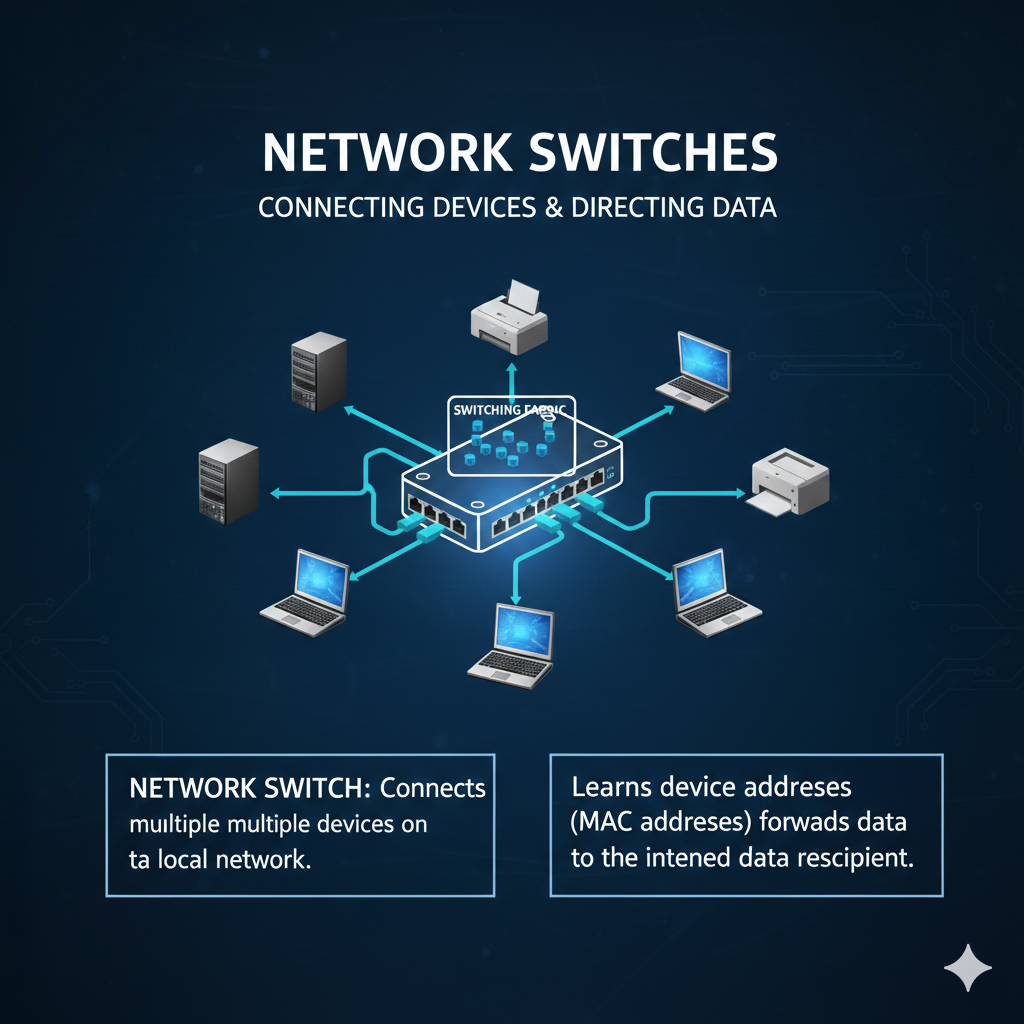
→If we want to send the data between the local network then use of switch is more efficient.
switches vs Hubs:
→ A switch and a hub are networking devices used to connect multiple devices within the same Local Area Network (LAN).
→The main responsibility of a switch is to receive data from one device and forward it only to the intended destination device, whereas a hub forwards the data to all connected devices except the sender.
→When switches receives the data it reads the Mac address from the mac address it finds out the port and based on that port it sends the data.
→The switches is more faster because there is no need to convert the data into the analog signals that is the reason if we want to send the data to the LAN then we will usually prefer switch over the router.
Load Balancer:
→A load balancer is a networking device or software application that distributes and balances the incoming traffic among the servers to provide high availability, efficient utilization of servers and high performance.
→In short the load balancer distributes loads of the server.
→why need of load balancer?
→if we are only having one server and that server goes down because of some reason then the website also goes down and then the user will have to wait for some time which will not create the good experience for the user.
→If we don’t have the load balancer then the system can’t be scalable. Because in the future when the request increases then it will create the load on the server and if the server is not able to handle that much load then it will create problem. And also Without a load balancer, adding more servers to share the traffic is complicated.
→so for scaling the system load balancer should be there in the system.
→In a real-world setup, the modem connects the ISP to your home network, the router directs traffic, switches handle local data transfers, firewalls secure the network, and load balancers distribute requests across servers to maintain high performance.

